Jobber vs Commusoft vs ONAP SitePro: UK Field Service Software Compared 2026
Choosing field service software in the UK is rarely about finding the longest feature list. This comparison looks at Jobber, Commusoft and ONAP SitePro across scheduling, job management, quoting, invoicing, mobile work, customer management, integrations, scalability and implementation, helping UK trade businesses identify which platform fits their operation.
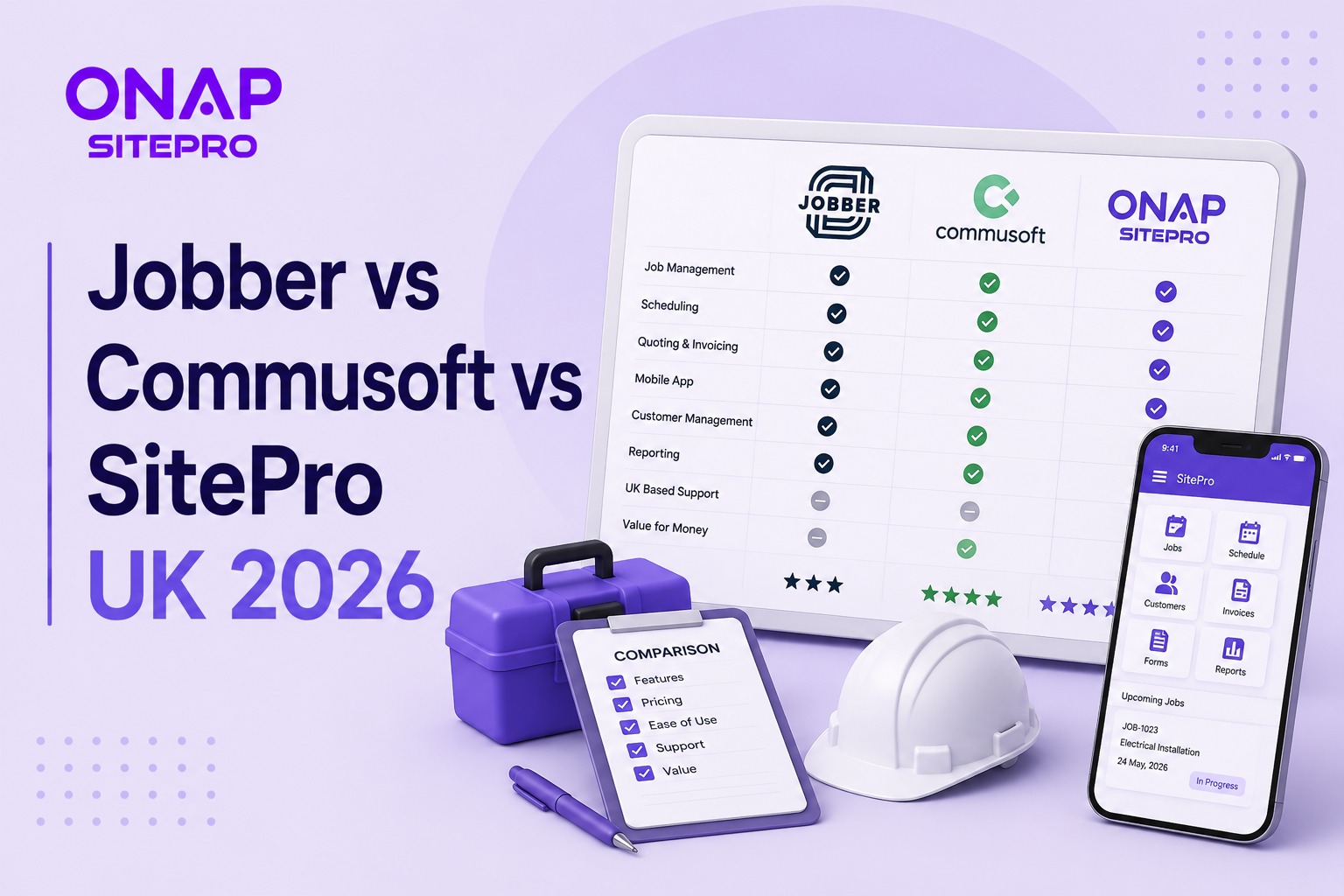
Table of Contents
- Jobber vs Commusoft vs ONAP SitePro at a glance
- What matters most when comparing field service software?
- Jobber: where it stands in 2026
- Commusoft: where it stands in 2026
- ONAP SitePro: where it fits
- Jobber vs Commusoft vs ONAP SitePro: feature comparison
- Which is better for growing field service companies?
- Scheduling and dispatch: where the differences matter
- Integrations and migration
- Pricing: what should UK buyers compare?
- Compliance and UK trade requirements
- Common mistakes when choosing field service software
- FAQs
- Conclusion
Field service software brings scheduling, job management, customer records, quoting, invoicing and field-team communication into one system. In this Jobber vs Commusoft vs ONAP SitePro comparison for 2026, the practical difference is how each platform approaches those jobs and which type of UK service business is likely to benefit most. Jobber reports more than 400,000 service professionals using its platform, while Commusoft focuses heavily on trade and service businesses with detailed scheduling, engineer management and operational workflows.
For a small plumbing company, the priority might be quick quoting and straightforward scheduling. A growing HVAC contractor may need engineer skills, recurring service work and detailed job records. A multi-team operation may care more about permissions, reporting, contracts, compliance and how well the software fits its existing processes.
Jobber vs Commusoft vs ONAP SitePro at a glance
The three platforms overlap in the basics, but their positioning is not identical. Jobber has a strong focus on making everyday field service administration approachable, while Commusoft has deep roots in trade businesses and detailed engineer workflows. SitePro is positioned within ONAP's wider software platform for businesses that need field service management covering scheduling, quoting, invoicing, contracts and compliance.
| Area | Jobber | Commusoft | ONAP SitePro |
|---|---|---|---|
| Job management | Strong | Strong | Strong |
| Scheduling | Strong visual scheduling | Strong scheduling and engineer planning | Designed around field service workflows |
| Quoting | Yes | Yes | Yes |
| Invoicing | Yes | Yes | Yes |
| Mobile field work | Yes | Yes | Yes |
| Customer management | Strong | Strong | Included within job workflows |
| Engineer tracking | Available | Strong focus | Available within field service workflows |
| Recurring work | Yes | Strong | Supported for service operations |
| Contracts | Available depending on plan/workflow | Strong focus | Core field service use case |
| Compliance workflows | General field service support | Strong trade-oriented workflows | Designed for service businesses |
| Integrations | App marketplace and accounting connections | Broad service-business integrations | Part of ONAP platform ecosystem |
| Best fit | Small to growing service businesses | Trade businesses with detailed operational needs | UK businesses wanting an integrated field service platform |
What matters most when comparing field service software?
Field service software should reduce the administrative gap between an enquiry and completed payment. That means a new customer request should become a quote, the approved work should reach the schedule, the engineer should receive the job information, and completion should feed into invoicing without staff re-entering the same information. A platform can have 100 features and still be a poor fit if your office team spends half the day moving information between screens. Conversely, a smaller feature set can work well when the workflow matches how the business already operates.
For a UK electrical contractor running eight engineers, for example, scheduling and quoting may matter more than advanced marketing tools. A facilities maintenance company handling planned contracts may place greater value on recurring jobs, documentation, service history and compliance records.
Jobber: where it stands in 2026
Jobber is an established field service platform aimed at home and commercial service businesses. Its feature set covers requests, quotes, scheduling, job management, customer communication, invoicing, payments, reporting and mobile field work. Jobber says more than 400,000 service professionals use its platform and that its customers have completed more than 29 million jobs through the system. Jobber has also built a strong reputation around ease of use. Its scheduling system includes multiple calendar views, drag-and-drop rescheduling, appointment reminders and GPS-related tools. Its mobile application lets field workers access job details, complete forms, upload photographs, track time and create quotes or invoices from the field.
The main question for a UK trade business is not whether Jobber can manage field work. It can. The question is whether its workflow depth matches the complexity of the operation. A one-person heating business and a 40-engineer facilities contractor have different requirements. Buyers with complex contract management, compliance records, asset histories or highly specific trade workflows should test those scenarios during a demonstration rather than assuming the standard job workflow will cover them. Explore the ONAP SitePro alternative to Jobber
Commusoft: where it stands in 2026
Commusoft has a particularly strong connection with UK trade and field service businesses. Its platform covers job management, scheduling, customer records, engineer management, invoicing, stock control, forms, reporting and mobile field work. Its scheduling approach is one of the areas where Commusoft stands out. Vendor material describes intelligent scheduling that can take engineer availability, skills and driving time into account, while live maps provide office teams with visibility of field workers.
That makes it worth considering for businesses where dispatch decisions are becoming difficult to manage manually. More capability can mean more implementation work. A small contractor with two engineers may not need sophisticated dispatch logic or extensive configuration. Paying for capabilities that sit unused can make software harder to justify, even if the product itself is capable. Commusoft's strength is therefore more relevant to businesses with operational complexity than to every small trade business. Explore the ONAP SitePro alternative to Commusoft
ONAP SitePro: where it fits
ONAP SitePro is the field service product within the ONAP platform. It is designed around the operational needs of service businesses, with job management, scheduling, quoting, invoicing, contracts and compliance forming part of its field service proposition. A UK contractor may start with basic job scheduling but later need recurring contracts, customer history, quotations, invoices and compliance documentation. Choosing software that can accommodate that progression reduces the need to replace the system when the business becomes more complicated. SitePro is therefore worth considering alongside established platforms such as Jobber and Commusoft, particularly for UK businesses looking for a field service platform within the wider ONAP ecosystem. Explore SitePro's field service software features
Jobber vs Commusoft vs ONAP SitePro: feature comparison
The most useful comparison is not which platform has the longest feature list. It is which system covers the workflows your staff perform every day with the least friction.
| Requirement | Jobber | Commusoft | ONAP SitePro |
|---|---|---|---|
| Customer enquiries | Strong | Strong | Supported |
| Quotation workflow | Strong | Strong | Supported |
| Job scheduling | Strong | Strong | Strong |
| Dispatch | Strong | Strong | Strong |
| Mobile job management | Strong | Strong | Supported |
| Customer history | Strong | Strong | Supported |
| Invoicing | Strong | Strong | Strong |
| Payment workflows | Strong | Strong | Supported |
| Recurring service work | Yes | Strong | Supported |
| Engineer tracking | Yes | Strong | Supported |
| Stock management | Available in selected workflows | Strong | Check current plan |
| Contract management | Available | Strong | Strong use case |
| Compliance documentation | Depends on workflow | Strong trade focus | Strong use case |
| Reporting | Yes | Yes | Yes |
| Integrations | Broad app ecosystem | Broad integrations | ONAP ecosystem |
| Ease of adoption | Strong focus | More operational depth | Designed for service workflows |
Which is better for growing field service companies?
Growth changes the software decision. A company with three engineers can often manage schedules through a shared calendar. A company with 20 engineers, multiple service areas and recurring contracts needs stronger control over dispatch, customer records, job status, permissions and reporting. Jobber reports more than 100,000 businesses using its platform, while its broader customer base is described as more than 400,000 service professionals. Those figures show substantial adoption, but adoption alone does not determine whether a system suits a particular UK operation.
Commusoft's published examples show a strong focus on larger and more operationally involved service teams, including businesses managing multiple engineers, live scheduling and recurring work. SitePro should be assessed on the same basis: can it support the number of users, jobs, contracts, customers and administrative processes you expect to have two or three years from now? That is a better scaling question than asking whether the software has enough features today.
Scheduling and dispatch: where the differences matter
Scheduling is often the first area where spreadsheets stop working. Suppose a Manchester plumbing company has 12 engineers and receives six emergency requests before midday. The dispatcher needs to consider location, availability, skills, existing appointments and customer urgency. A calendar that only shows free time is not enough. Jobber provides a visual scheduling environment with multiple calendar views, drag-and-drop changes, appointment notifications and location-related dispatch tools. Commusoft goes further into skill, availability and driving-time considerations through its intelligent scheduling approach. SitePro buyers should test the same scenario during a demonstration. Ask the vendor to schedule an urgent job, move an existing appointment, notify the engineer and update the customer record. That single exercise reveals more than a long feature presentation.
Integrations and migration
Software migration is often underestimated. A company may have years of customer records, pricing, service history, asset information, invoices and spreadsheets. Moving that data is not a matter of uploading one CSV and forgetting about it. Jobber states that customer lists can be imported using CSV or vCard files and that it can connect with QuickBooks Online.
Commusoft and SitePro buyers should ask comparable questions:
- What customer data can be imported?
- Can historic job records be migrated?
- Can product and service lists be imported?
- What accounting integrations are available?
- Is there an API?
- Who handles migration?
- Is migration included in onboarding?
- Can data be exported if the business leaves?
Pricing: what should UK buyers compare?
Published software prices can look attractive until additional users, payment services, integrations or advanced features are added. Do not compare monthly subscription figures alone.
Build a three-year cost model containing:
- Software subscriptions
- Additional user costs
- Setup or onboarding fees
- Data migration
- Training
- Payment processing
- Accounting integrations
- Optional modules
- Hardware, if required
- Internal staff time during implementation
A platform costing £100 more per month may still be cheaper if it removes several hours of weekly administration. Conversely, an expensive feature package may provide little value to a two-engineer operation. For current plan details, review the relevant SitePro pricing information and compare it against the current commercial terms offered by Jobber and Commusoft.
Compliance and UK trade requirements
Field service software does not replace professional compliance obligations, but it can help businesses organise the records surrounding them. A Gas Safe business, for example, may need structured records around engineer work, customer details, certificates and service history. Electrical contractors may need different documentation and inspection processes. The software should support the workflow without encouraging staff to treat a digital tick box as proof of compliance. For specialist businesses, ask whether the platform can handle custom forms, certificates, photographs, signatures, attachments, audit trails and recurring inspection schedules. The difference can become important when a business moves from 100 jobs a month to 500.
Common mistakes when choosing field service software
Choosing the feature list instead of the workflow
A long feature list looks impressive during a sales call. It does not tell you whether your engineers will use the system. Map one complete job from first enquiry to payment before comparing vendors.
Ignoring the office team
Field workers are only half the operation. Ask the administrator who handles 40 incoming calls a day to test the system. If creating, moving and updating jobs takes too many screens, the software may create a new administrative burden.
Failing to test migration
A clean demonstration account contains perfect data. Your business does not. Test a sample of real customer records, recurring jobs, pricing and historic information before committing to migration.
Buying for today's headcount
Software should support the business you are building, but there is no reason to pay for capacity you will not use. A five-engineer company planning to reach 10 engineers has different requirements from a 50-engineer contractor expanding into multiple regions.
Treating onboarding as an afterthought
Training determines how quickly software becomes part of daily work. Ask who provides onboarding, how long implementation normally takes, what data is migrated and what happens when staff need help after launch.
FAQs
Is Jobber good for UK tradespeople?
Jobber can be a strong option for UK trades businesses that need straightforward quoting, scheduling, job management, customer communication and invoicing. Its platform supports home and commercial service businesses across multiple trades and includes mobile workflows for field teams. UK buyers should still check accounting integrations, VAT requirements, payment costs and the exact features available on their selected plan before purchasing.
Is Commusoft better than Jobber?
Commusoft can be a better fit than Jobber when a business needs detailed engineer scheduling, trade-focused workflows, live field visibility, recurring service work or deeper operational controls. Jobber may suit smaller teams that place greater value on straightforward daily administration and customer-facing workflows. The better platform depends on job volume, workforce size, trade requirements and how complex the scheduling process has become.
Is ONAP SitePro an alternative to Jobber and Commusoft?
Yes. ONAP SitePro can be considered alongside Jobber and Commusoft when comparing field service management platforms for UK businesses. The relevant comparison should cover scheduling, job management, quoting, invoicing, contracts, compliance, mobile work, integrations and reporting. Buyers should test those workflows using realistic jobs rather than choosing based on feature counts or brand familiarity.
What should a UK field service business look for in software?
A UK field service business should prioritise scheduling, dispatch, customer records, quoting, job documentation, mobile access, invoicing, payments, reporting and integrations. Trade-specific businesses may also need recurring service management, certificates, forms, stock control and compliance records. The right system should reduce duplicate data entry and give office and field teams access to the same job information.
How much does field service software cost in the UK?
There is no single UK price because field service platforms vary by users, features, modules, integrations, payment services and onboarding arrangements. A proper comparison should calculate the total cost over at least three years rather than comparing monthly subscription prices alone. Ask each vendor for the cost of additional users, migration, training, integrations and any optional features required by your operation.
How long does it take to implement field service software?
Implementation time depends on the number of users, data being migrated, integrations, workflow complexity and training requirements. A small contractor with clean customer records can move faster than a multi-team business with years of job history and complex recurring contracts. Before signing, ask for a written implementation plan covering migration, configuration, training, testing, launch and post-launch support.
Conclusion
Do not choose between Jobber, Commusoft and SitePro from a feature spreadsheet alone. Take five representative jobs from your business and recreate them in each platform. Include the awkward ones, such as an emergency call-out, a recurring maintenance visit, a job requiring certificates and photographs, and a job that changes halfway through the day.
Then measure the parts that affect your staff every day: number of clicks, duplicate entry, scheduling effort, mobile usability, invoice speed and reporting. For businesses that want a broader view of field service systems, the ONAP field service management software guide provides useful context before narrowing down the shortlist. The winner should be the system that makes your real workflow easier to run, not the one with the longest feature page.
Explore More Blogs
Discover more expert insights, software guides, and industry best practices to help your business grow with ONAP.

How to Launch a Branded Restaurant App Without a Developer (UK Guide 2026)
Launching a branded restaurant app no longer requires an in-house development team. This 2026 UK guide explains how restaurant owners can choose a no-code or managed app platform, connect ordering and payments, build loyalty features, publish the app, and avoid the common mistakes that make app projects expensive.
Field Service Engineer Scheduling Software UK: Free vs Paid Options Compared
Field service engineer scheduling software helps UK contractors assign jobs, manage availability, track engineers and keep customers updated. This guide compares free scheduling tools, spreadsheets and paid field service platforms, including their features, limitations, costs and suitability for growing teams.

Café vs Cloud Kitchen vs Dark Kitchen: Which Model Works Best for UK Food Businesses
Cafés, cloud kitchens and dark kitchens each suit different UK food businesses. This guide compares premises, staffing, startup costs, delivery economics, customer acquisition, technology, VAT and growth potential, helping operators choose the model that fits their menu, target market and available capital.