Field Service Management Software UK: Complete Buyer's Guide 2026
Choosing the right field service management software can transform how your business schedules engineers, manages jobs, communicates with customers, and gets paid. This guide explains the essential features, pricing considerations, leading platforms, migration tips, and evaluation criteria UK businesses should use before investing in an FSM solution.
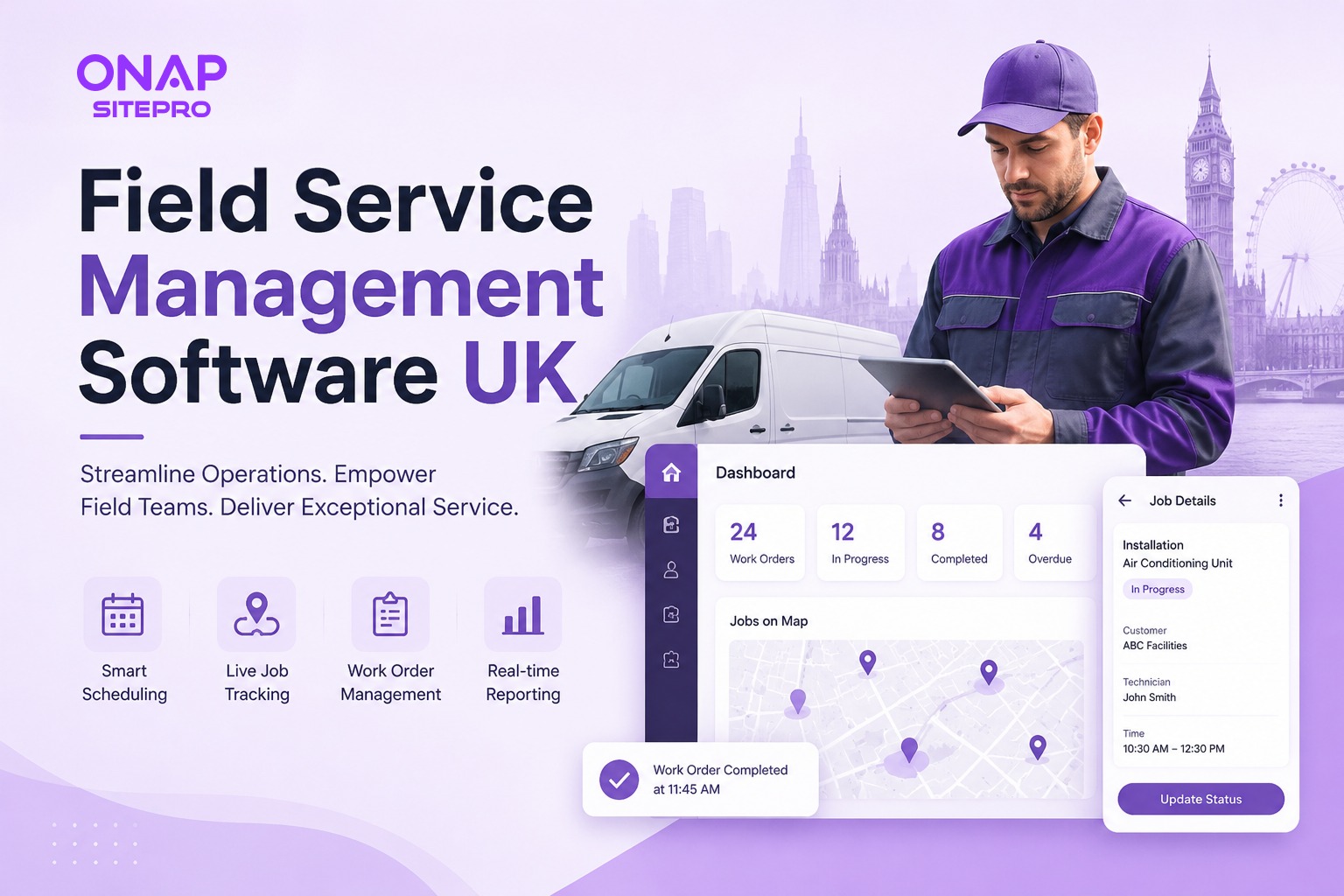
Field service businesses have become increasingly difficult to manage with spreadsheets, paper job sheets, and disconnected software. Customers expect accurate arrival times, engineers need instant access to job information, and office teams must coordinate schedules while keeping projects profitable. As companies grow, manual processes often become the biggest obstacle to delivering reliable service.
Field service management software solves these operational challenges by bringing scheduling, dispatching, customer management, invoicing, reporting, and mobile access into a single platform. Instead of switching between multiple tools, businesses can manage their entire service operation from one central system.
For UK businesses, selecting the right software involves more than comparing feature lists. Industry requirements, company size, mobile workforce needs, integration options, pricing models, and long-term scalability all play an important role. Choosing software that fits your current operation while supporting future growth can prevent expensive migrations later.
This guide explains what field service management software is, who benefits from it, the features worth paying for, and what to consider before making a purchase.
What Is Field Service Management Software?
Field service management software, often shortened to FSM software, helps businesses coordinate work performed outside the office. It manages the complete lifecycle of a service job, from the first customer enquiry through scheduling, engineer dispatch, job completion, invoicing, and ongoing maintenance.
Rather than relying on separate calendars, spreadsheets, messaging apps, and accounting software, an FSM platform creates a connected workflow where every department works from the same information.
A typical workflow looks like this:
- A customer requests a service visit.
- The office creates a work order.
- The scheduler assigns the most suitable engineer.
- The engineer receives the job on a mobile device.
- Photos, notes, signatures, and completed work are uploaded immediately.
- The invoice is generated once the work is complete.
This connected process reduces delays, prevents duplicate data entry, and improves communication between office staff, engineers, and customers.
Modern cloud-based platforms also provide real-time visibility into ongoing jobs, making it easier to monitor productivity, identify scheduling conflicts, and respond quickly to urgent requests.
Businesses evaluating solutions should also consider how the software fits into their broader operations. Platforms such as ONAP SitePro focus on bringing scheduling, engineer management, reporting, and customer workflows together within a single ecosystem. Businesses comparing available platforms can explore the available SitePro features here:
Who Uses FSM Software? (Industries and Business Sizes)
Field service management software is designed for any business that sends employees to customer locations. While requirements vary across industries, the operational challenges are often remarkably similar.
Electrical Contractors
Electrical businesses manage installations, emergency call-outs, inspections, maintenance contracts, and compliance work. Efficient scheduling and accurate job documentation help reduce administrative workload while improving customer communication.
Businesses specialising in electrical services can also compare industry-focused workflows on the Electrical Contractor Software page.
HVAC Companies
Heating, ventilation, and air conditioning companies often manage recurring maintenance alongside emergency breakdowns. Engineers require quick access to equipment history, maintenance records, and customer details while on site.
Dedicated HVAC software solutions often include preventive maintenance scheduling and asset tracking alongside standard field service features.
More information is available on ONAP's HVAC software page.
Plumbing Businesses
Plumbing companies benefit from efficient dispatching, mobile job management, quotation tools, and faster invoicing, particularly when handling urgent call-outs across multiple locations.
Fire & Security Installers
Businesses responsible for alarms, CCTV, and fire safety systems frequently manage service contracts requiring regular inspections. Automated reminders help ensure maintenance visits are not missed.
Facilities Management Companies
Facilities management providers coordinate multiple engineers across numerous client sites while handling reactive maintenance and scheduled servicing. Centralised job management becomes essential as contract volumes increase.
Property Maintenance Firms
Landlords, housing associations, and maintenance providers often deal with hundreds of ongoing service requests simultaneously. FSM software provides visibility across all active jobs while improving response times.
Does Company Size Matter?
Not every business requires enterprise software.
| Business Size | Typical Requirements |
|---|---|
| Sole Traders | Scheduling, invoicing, customer records, mobile app |
| Small Businesses (2 to 20 engineers) | Dispatching, work orders, quotations, reporting |
| Mid-sized Companies | Automation, contract management, integrations, analytics |
| Large Enterprises | Multi-location operations, permissions, APIs, advanced reporting |
The ideal solution should support future growth rather than forcing another migration within a few years.
Core Features to Look for in UK Field Service Software
Many platforms advertise hundreds of features, but only a small number directly improve operational efficiency. Focusing on these core capabilities makes comparing vendors much easier.
Work Order Management
Work orders form the foundation of every field service operation.
Good software allows office staff to create detailed jobs containing:
- Customer information
- Site addresses
- Asset details
- Priority levels
- Engineer instructions
- Required materials
- Attachments and photographs
- Service history
Having all information stored in one place reduces phone calls between engineers and office staff while minimising mistakes caused by incomplete paperwork.
The best platforms also maintain a complete audit trail, making it easier to review previous visits or resolve customer disputes.
Engineer Scheduling and Dispatch
Scheduling directly affects productivity.
Manual scheduling often results in:
- Engineers travelling unnecessarily
- Double bookings
- Missed appointments
- Longer response times
- Overtime costs
Modern scheduling tools provide drag-and-drop calendars, workload balancing, and real-time visibility into engineer availability.
Some platforms also support automated dispatch rules based on location, qualifications, availability, or job priority.
For businesses managing larger engineering teams across multiple locations, having a dedicated operational dashboard can significantly improve visibility into daily workloads. You can see an example of these capabilities on the SitePro dashboard page.
Client and Contract Management
Winning a customer is only the beginning. Long-term profitability often comes from recurring service contracts.
A strong FSM platform should allow businesses to manage:
- Customer profiles
- Multiple service locations
- Maintenance agreements
- Equipment history
- Warranty information
- Previous invoices
- Communication records
Having this information available before every visit enables engineers to arrive better prepared while giving customer support teams complete visibility into each account.
Quoting and Invoicing
Creating quotations manually slows down the sales process and increases the risk of pricing errors.
Integrated quoting tools allow businesses to:
- Build professional estimates
- Convert accepted quotes into jobs
- Track approvals
- Generate invoices after completion
- Record payment status
Removing duplicate data entry saves administrative time while improving billing accuracy.
Businesses evaluating software should also compare pricing structures rather than focusing solely on subscription costs. Some platforms charge per user, while others include additional fees for premium modules, storage, or advanced reporting. Reviewing dedicated pricing information, such as the SitePro pricing page, can help buyers understand what is included before committing to a platform
Mobile Access for Field Teams
Mobile functionality is no longer optional.
Engineers need access to information wherever they are working.
A capable mobile app should allow technicians to:
- View assigned jobs
- Update job status
- Capture customer signatures
- Upload photographs
- Record notes
- Access previous service history
- Generate completion reports
- Continue working even with limited internet connectivity
Offline capability is particularly valuable for engineers working in rural areas or inside buildings with poor mobile reception.
The mobile experience should also minimise typing by using dropdown menus, templates, and digital forms wherever possible.
Cloud FSM vs On-Premise: What UK Businesses Should Choose
One of the first decisions you'll make is whether to choose cloud-based field service management software or install an on-premise solution on your own servers.
For most small and mid-sized UK businesses, cloud software has become the preferred option because it offers lower upfront costs, automatic updates, and remote accessibility. On-premise systems still have a place in organisations with strict infrastructure requirements or legacy IT environments, but they demand greater investment in hardware, maintenance, and security.
| Feature | Cloud FSM | On-Premise FSM |
|---|---|---|
| Initial Cost | Lower | Higher |
| Monthly Costs | Subscription | Maintenance and IT costs |
| Remote Access | Built in | Requires additional setup |
| Software Updates | Automatic | Manual |
| Data Backup | Managed by provider | Managed internally |
| Scalability | Easy to expand | Often requires infrastructure upgrades |
| IT Management | Minimal | Dedicated IT resources needed |
Cloud software also makes collaboration easier. Office staff, engineers, managers, and customer service teams all work from the same live data, reducing delays caused by outdated information.
Before choosing any cloud platform, ask vendors about:
- Data hosting location
- User permissions
- Backup procedures
- Integration capabilities
- Security certifications
- API availability
- Offline mobile support
- Future product roadmap
A growing business should also consider whether the software supports multiple branches, additional engineers, and expanding service areas without requiring a complete platform change.
If you're evaluating a cloud-first platform designed for UK field service businesses, the SitePro solution overview provides a useful look at how scheduling, customer management, reporting, and field operations fit into a single workflow.
How Much Does Field Service Software Cost in the UK?
Pricing is one of the biggest factors when comparing field service management software. Unfortunately, it is also one of the hardest areas to compare because vendors use different pricing models.
Some charge per user each month. Others price according to the number of engineers, available modules, or the size of your business.
Instead of looking only at the monthly subscription, calculate the total cost of ownership over three to five years.
Typical cost factors include:
- User licences
- Mobile app access
- Implementation
- Staff training
- Data migration
- Integrations
- Additional storage
- Premium support
- API access
A platform with a lower monthly subscription may become more expensive once optional modules are added.
Avoid selecting software based purely on price. A platform that saves several hours of administrative work every week often delivers far greater value than the cheapest subscription.
Top Field Service Management Software for UK Businesses (Compared)
The UK market includes solutions aimed at sole traders, growing service businesses, and enterprise organisations. The right choice depends on the complexity of your operation, the number of engineers you manage, and the workflows you need to automate.
Comparison at a Glance
| Software | Best For | Strengths | Considerations |
|---|---|---|---|
| ONAP SitePro | Growing UK service businesses | Unified scheduling, dispatch, reporting, customer management | Best evaluated through a live demonstration |
| Jobber | Small service businesses | Easy to use, strong customer communication | May become limiting for larger operations |
| ServiceM8 | Mobile-first teams | Excellent mobile workflow, simple setup | Feature depth varies by business needs |
| Commusoft | Service contractors | Strong maintenance contract management | May require more onboarding time |
| BigChange | Medium to large fleets | Fleet tracking, scheduling, compliance | Higher complexity for smaller teams |
| Simpro | Large contractors | Comprehensive project and inventory management | Better suited to larger organisations |
| Oracle Field Service | Enterprise organisations | Advanced optimisation and scheduling | Higher implementation complexity |
ONAP SitePro
ONAP SitePro is designed for service businesses that want scheduling, work order management, engineer dispatch, reporting, customer records, and operational oversight in one platform.
Rather than relying on separate applications for different parts of the workflow, it aims to centralise day-to-day operations while giving office staff and field engineers access to the same information.
Businesses interested in platform capabilities can explore the available SitePro features here.
Jobber
Jobber is widely used by smaller service businesses looking for a straightforward solution.
Its clean interface and customer communication tools make it particularly attractive to companies moving away from paper-based processes.
As businesses grow, some organisations begin evaluating alternatives that offer more advanced operational workflows.
A detailed comparison is available here.
ServiceM8
ServiceM8 focuses heavily on mobile job management and works well for businesses whose engineers spend most of their day on customer sites.
Companies needing broader operational reporting or more advanced scheduling sometimes compare it against larger platforms.
See a detailed comparison
Commusoft
Commusoft is well known within the plumbing, heating, and electrical sectors.
Its strengths include customer history, maintenance contracts, and office administration tools.
Businesses comparing long-term options may also want to review.
BigChange
BigChange combines field service management with vehicle tracking and workforce management, making it suitable for organisations operating larger mobile fleets.
Its wider feature set may introduce additional complexity for businesses with simpler operational requirements.
Simpro
Simpro is commonly chosen by larger contractors handling complex projects, inventory management, and multi-team operations.
Its extensive capabilities make it attractive for businesses with sophisticated requirements, though smaller companies may find it offers more functionality than they currently need.
Oracle Field Service
Oracle Field Service is aimed primarily at enterprise organisations with large workforces, sophisticated optimisation requirements, and complex integrations.
Implementation typically involves more planning than platforms designed for SMEs.
Businesses evaluating enterprise solutions can compare them here.
How Should You Compare Vendors?
Rather than asking which platform is "best," ask which one fits your business.
Compare vendors across areas such as:
- Ease of implementation
- Scheduling flexibility
- Mobile usability
- Reporting capabilities
- Integration options
- Customer support
- Future scalability
- Pricing transparency
- Training resources
- Product development roadmap
Request a live demonstration using one of your actual workflows instead of relying solely on feature checklists. Seeing how a platform handles your day-to-day operations provides a much clearer picture than marketing materials alone.
Questions to Ask Before You Sign Up
A polished demo doesn't always reveal how well a platform will perform in day-to-day operations. Asking the right questions before signing a contract can prevent costly surprises later.
Consider discussing the following with every vendor:
- How long does implementation usually take?
- Is data migration included?
- What training is provided for office staff and engineers?
- Can the software integrate with our accounting or CRM systems?
- Does the mobile app work offline?
- How are software updates delivered?
- What happens if we need more users in the future?
- Is customer support included in the subscription?
- Can we customise workflows and forms?
- How easy is it to export our data if we decide to switch platforms later?
It's also worth requesting references from businesses with a similar size and workflow. A platform that performs well for a nationwide contractor may not be the right fit for a local business with five engineers.
The goal is to choose software that supports your operations over the next several years, not just one that meets today's requirements.
Frequently Asked Questions
Is field service management software suitable for small businesses?
Yes. Many platforms offer features that are valuable even for businesses with a handful of engineers, including scheduling, invoicing, customer management, and mobile job tracking. Choosing software that can scale with your business helps avoid another migration as you grow.
Can field service software integrate with accounting software?
Many FSM platforms integrate with popular accounting systems and CRMs. Integration options vary by vendor, so it's worth confirming compatibility during the evaluation process if accounting automation is important to your business.
Do engineers need an internet connection to use mobile apps?
Many modern FSM applications include offline functionality, allowing engineers to view assigned jobs, capture notes, take photos, and collect signatures without a constant internet connection. The data typically syncs automatically once connectivity is restored.
How long does implementation usually take?
Implementation time depends on the size of your business, the amount of historical data being migrated, and any integrations required. Smaller businesses may be ready within days, while larger organisations often plan implementation over several weeks.
Can field service management software improve customer satisfaction?
Yes. Faster scheduling, accurate appointment information, real-time job updates, and quicker invoicing all contribute to a smoother customer experience. Better visibility also helps office teams respond more effectively to enquiries and unexpected changes.
Conclusion
Many businesses focus on price or the length of the feature list instead of how well the software supports their daily workflows. A platform that aligns with your scheduling process, reporting needs, and future growth plans is usually a better long-term investment than the lowest-cost option.
Choosing field service management software is less about finding the platform with the most features and more about selecting one that fits the way your business operates.
Start by identifying the challenges that consume the most time, whether that's scheduling, paperwork, invoicing, or communication between the office and field teams. From there, compare platforms based on usability, scalability, integrations, implementation support, and total cost rather than headline pricing alone.
As your business grows, the right software should reduce administrative effort, improve visibility across every job, and help your team deliver a more consistent service to customers. Taking the time to evaluate your options carefully now can save significant time, money, and operational disruption in the years ahead.
Explore More Blogs
Discover more expert insights, software guides, and industry best practices to help your business grow with ONAP.

How to Launch a Branded Restaurant App Without a Developer (UK Guide 2026)
Launching a branded restaurant app no longer requires an in-house development team. This 2026 UK guide explains how restaurant owners can choose a no-code or managed app platform, connect ordering and payments, build loyalty features, publish the app, and avoid the common mistakes that make app projects expensive.
Field Service Engineer Scheduling Software UK: Free vs Paid Options Compared
Field service engineer scheduling software helps UK contractors assign jobs, manage availability, track engineers and keep customers updated. This guide compares free scheduling tools, spreadsheets and paid field service platforms, including their features, limitations, costs and suitability for growing teams.

Café vs Cloud Kitchen vs Dark Kitchen: Which Model Works Best for UK Food Businesses
Cafés, cloud kitchens and dark kitchens each suit different UK food businesses. This guide compares premises, staffing, startup costs, delivery economics, customer acquisition, technology, VAT and growth potential, helping operators choose the model that fits their menu, target market and available capital.