Plumbing Business Software UK: What Features Actually Matter in 2026
Choosing plumbing business software in the UK is less about having the longest feature list and more about controlling jobs, engineers, quotes, invoices and compliance from one place. This 2026 guide explains which features genuinely matter, what to avoid paying for, how integrations affect day-to-day work, and how to assess software before committing your business to a new system.
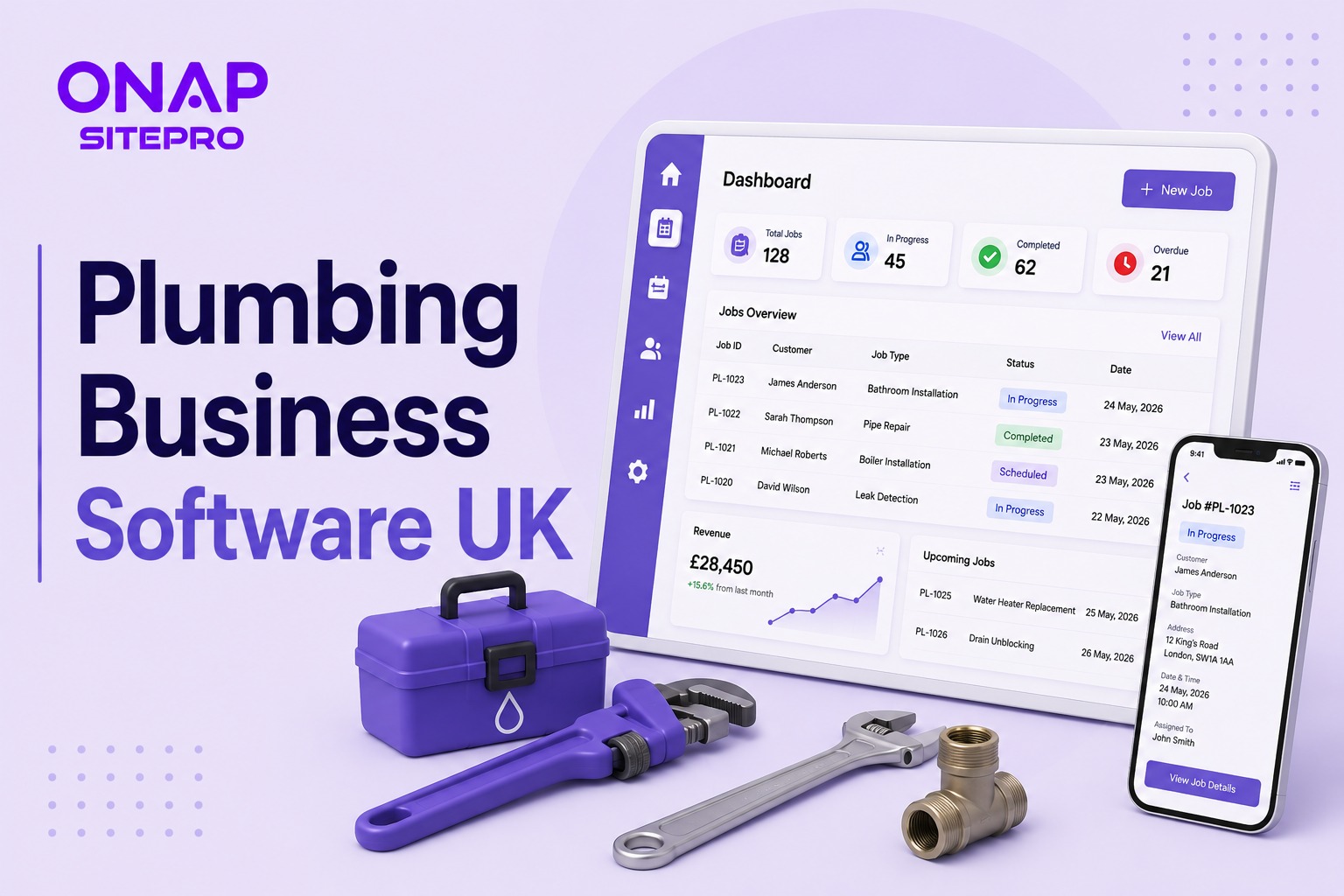
Table of Contents
- What plumbing business software should actually manage
- The features that matter most in plumbing business software UK
- Customer records are where plumbing software starts becoming valuable
- Recurring jobs and planned maintenance
- Compliance records need to be easy to find
- What plumbing business software does not need
- How integrations affect the buying decision
- Common mistakes when buying plumbing business software
- How to compare plumbing software in 2026
- Why the right plumbing software should scale with the business
- FAQs
- What is the best plumbing business software UK companies can use?
- Does plumbing software replace accounting software?
- Do plumbers need mobile software?
- Can plumbing software manage recurring maintenance jobs?
- How much does plumbing business software cost in the UK?
- Should a small plumbing company use field service management software?
- Choosing the right system for your plumbing business
Plumbing business software UK solutions are designed to manage the operational work behind a plumbing company, including scheduling, job management, quoting, invoicing, customer records, engineer coordination and reporting. The right system should reduce administration without making engineers or office staff spend more time managing software. For a five-person plumbing firm, that distinction matters just as much as the feature list.
The UK plumbing market is large enough to make software choice a serious operational decision. ONS publishes dedicated data covering plumbing and heating enterprises under SIC 43.21/0 and 43.22/0, while its latest construction data shows repair and maintenance activity remains a major part of the wider construction market. A good plumbing system should answer five questions quickly: What jobs are booked today? Who is attending? What work has been completed? What does the customer owe? Which jobs still need attention?
What plumbing business software should actually manage
Plumbing business software should connect the complete journey from incoming enquiry to completed payment. That means customer details, job information, appointments, engineer allocation, parts, quotations, invoices and job history should sit within the same workflow rather than being spread across email, WhatsApp, paper forms and accounting software.
For a typical domestic plumbing business, the core workflow might look like this:
- Customer reports a leaking boiler.
- Office creates the job.
- Scheduler assigns an engineer.
- Engineer receives the address and job details.
- Engineer records findings and parts used.
- Additional work is quoted if required.
- Customer approves the work.
- Job is completed.
- Invoice is issued.
- Payment status is recorded.
Software becomes useful when those steps form one connected record. For businesses reviewing their wider operational systems, ONAP's SitePro plumbing business software is designed around this type of field-service workflow, including job management, scheduling, quoting and invoicing.
The features that matter most in plumbing business software UK
Not every feature deserves equal weight. A plumbing company running two vans has different requirements from a 20-engineer operation handling reactive maintenance contracts.
The following capabilities should form the baseline.
| Feature | Why it matters to plumbers | Priority |
|---|---|---|
| Job management | Keeps customer, job and work history together | Essential |
| Scheduling | Assigns engineers and reduces diary clashes | Essential |
| Mobile access | Gives engineers job information while working | Essential |
| Quoting | Speeds approval for additional work | Essential |
| Invoicing | Reduces delays between completion and payment | Essential |
| Customer database | Creates a usable history of previous work | Essential |
| Job notes and photos | Records what happened on site | High |
| Recurring jobs | Helps manage planned maintenance | High |
| Reporting | Shows workload, revenue and outstanding jobs | High |
| Accounting integration | Reduces duplicate financial administration | High |
| Stock and parts tracking | Useful for larger teams | Medium to high |
| Customer portal | Helpful for contract and commercial customers | Medium |
| Advanced automation | Useful when operations become larger | Medium |
The important point is not how many boxes a vendor ticks. It is whether those features remove work from your existing process.
1. Job management should be the centre of the system
A plumbing job should have one record containing the customer, address, issue, appointment, assigned engineer, notes, photographs, parts, quote, invoice and completion status. Imagine a customer calls six months after a cylinder replacement because they have another issue. The office should be able to find the previous job, see what was installed and identify who attended without searching through old emails.
2. Scheduling needs to reflect real plumbing work
Scheduling is not just putting appointments into a calendar. A plumbing business may have emergency call-outs, fixed appointments, commercial maintenance visits and jobs that take longer than expected. An engineer who starts a 45-minute repair at 10am may still be dealing with it at midday. For a growing company, field service scheduling and management features are worth examining alongside the basic diary function. The difference is whether the schedule connects to the job itself.
3. Mobile access for engineers
A plumber should not need to phone the office to ask for the customer address, previous job notes or approved quote.
Mobile software should give engineers access to the information they need while they are on site. Useful capabilities include:
- Customer and site details
- Job description
- Previous job history
- Appointment information
- Photos
- Job notes
- Parts used
- Customer signatures
- Quote approval
- Completion status
- Invoice information
Offline access can also matter when engineers work in basements, plant rooms or areas with poor mobile coverage. Do not assume a mobile interface is good because a vendor has an app. Test the actual engineer workflow. Ask someone who has never seen the software to open a job, add a photograph, record a note and mark the work complete.
Customer records are where plumbing software starts becoming valuable
A customer database is useful. A proper service history is much more valuable. A good system should allow you to see previous jobs at a property, notes from earlier visits, quotations, invoices and recurring maintenance requirements. That changes the conversation with the customer. If someone calls about a boiler fault and the office can see that the same property had a related issue eight months earlier, the engineer has useful context before arriving.
For landlords and property managers, this becomes even more important. A portfolio containing 40 rental properties can generate hundreds of service records. Searching through individual email threads is not a serious long-term system. Customer history also supports repeat business. A company can identify customers due for maintenance, follow up outstanding quotes and keep track of recurring service arrangements.
Recurring jobs and planned maintenance
Reactive call-outs are only part of plumbing work. Many firms also handle annual boiler servicing, commercial maintenance, landlord inspections, plant-room checks and recurring property maintenance. Software should make these jobs predictable. A recurring job feature can create future appointments based on a defined schedule, reducing the chance that a maintenance visit is forgotten.
Consider a plumbing contractor managing 60 commercial maintenance agreements. Even if each contract requires only one planned visit every six months, that creates 120 scheduled visits a year. Managing those manually introduces unnecessary administrative work. The better approach is to store the contract or recurring service requirement against the customer and generate the required work at the correct interval. For larger operations, this should connect with reporting, engineer availability and invoicing rather than functioning as an isolated reminder.
Compliance records need to be easy to find
Plumbing and heating businesses often deal with documentation that customers, landlords, contractors or regulators may need to see. Software should help organise relevant records without pretending to replace professional certification requirements.
Depending on the work, records might include:
- Job photographs
- Engineer notes
- Customer approvals
- Equipment information
- Service history
- Completion records
- Certificates or documents
- Inspection dates
- Contract information
For gas work, businesses must also understand their obligations around the Gas Safe Register. Software can store relevant records, but it does not make an engineer authorised to undertake work they are not qualified or registered to perform. Good software supports compliance administration. It does not create compliance by itself.
What plumbing business software does not need
This is where buyers often overspend. A small plumbing company does not necessarily need a large collection of advanced dashboards, complex automation or enterprise reporting.
If the business has three engineers, the priority may be:
- A shared schedule
- Mobile job access
- Quoting
- Invoicing
- Customer history
- Photos and notes
- Payment tracking
A 25-engineer business with commercial contracts will have different needs.
| Business profile | Focus on | Avoid overpaying for |
|---|---|---|
| Sole trader | Jobs, diary, quotes, invoices | Complex team controls |
| 2 to 5 engineers | Scheduling, mobile access, customer history | Enterprise reporting |
| 6 to 15 engineers | Dispatch, recurring work, reporting | Features nobody uses |
| 15+ engineers | Resource planning, contracts, reporting, integrations | Isolated tools that require duplicate data |
The best plumbing business software UK buyers can choose is the system that matches operational complexity, not the one with the longest brochure.
How integrations affect the buying decision
A plumbing company rarely operates on one piece of software. You may already have accounting software, payment processing, email, a website, customer enquiry forms and perhaps a stock system. The question is whether these systems can exchange information.
Ask software suppliers:
- Which accounting platforms do you integrate with?
- Is the connection native or dependent on a third-party service?
- Does the API have additional costs?
- What information can move between systems?
- How are failed integrations handled?
- Can customer and job data be exported?
- What happens if we leave the platform?
Those questions tell you more than a product demonstration.
Common mistakes when buying plumbing business software
The biggest mistake is buying for the owner instead of the people who will use the software every day. A business owner may love a dashboard showing monthly revenue. An engineer may care more about whether the customer address, job notes and previous history load quickly on a phone.
Other common mistakes include:
Choosing software based on the feature list
A feature only matters if it solves a real operational problem.
Ignoring migration
If you already have thousands of customer records, ask how they will be imported. Do not leave migration until after signing the contract.
Forgetting mobile usability
A system that works beautifully on a desktop can still be frustrating for engineers.
Overlooking data ownership
Check how you can export your customer and job records if you change supplier later.
Buying too much software
Complexity creates its own cost. If staff need lengthy training to complete routine jobs, the product may be wrong for the business.
How to compare plumbing software in 2026
Start with your current workflow, not vendor websites. Write down what happens from the moment a customer calls until payment is received. Mark every place where information is copied, delayed, lost or communicated by phone. Then score each software option against those problems.
A practical buying framework looks like this:
| Buying area | Question to ask |
|---|---|
| Scheduling | Can the dispatcher move jobs quickly when plans change? |
| Mobile | Can engineers complete jobs from a phone? |
| Quoting | Can quotes be created and approved without duplicate entry? |
| Invoicing | Can completed work move into invoicing quickly? |
| Customers | Can staff see complete property and service history? |
| Recurring work | Can planned maintenance be scheduled automatically? |
| Integrations | Does it connect to your accounting and payment tools? |
| Reporting | Can you see outstanding jobs, revenue and workload? |
| Migration | Can existing customer and job records be imported? |
| Support | Is onboarding available and what happens after launch? |
| Scalability | Will it still work when you add more engineers? |
| Data export | Can you retrieve your business data if you leave? |
ONAP's SitePro pricing information can be reviewed alongside your own operational requirements, rather than judging software on headline functionality alone.
Why the right plumbing software should scale with the business
A company can outgrow software surprisingly quickly. A two-engineer plumbing firm may start with basic scheduling. Three years later it could have engineers across several areas, recurring contracts, commercial customers, multiple administrators and hundreds of active customer records. That changes the software requirement. Look for a system that can add users, manage permissions, support multiple teams, handle recurring work and connect with other business tools without forcing a complete replacement when the company grows.
The UK construction sector also continues to shift between new work and repair and maintenance. ONS reported that total construction output grew 1.6% across the three months to May 2026, while repair and maintenance grew 2.1% during the same period. For plumbing companies, that reinforces the value of software that handles both reactive jobs and planned maintenance rather than focusing on one type of work.
FAQs
What is the best plumbing business software UK companies can use?
The right plumbing business software depends on company size, job volume and the complexity of your operations. A sole trader may need scheduling, quoting and invoicing, while a larger contractor may need dispatch, recurring jobs, mobile access, reporting and integrations. Compare systems against your real workflow rather than choosing purely on the number of features included.
Does plumbing software replace accounting software?
No, plumbing software normally manages operational information while accounting software handles financial records and tax processes. The useful setup is an integration between the two, so completed jobs, invoices and customer information do not have to be entered repeatedly. Check exactly which accounting systems are supported and what data the integration transfers before committing to a platform.
Do plumbers need mobile software?
Mobile access is strongly recommended for plumbing businesses with engineers working away from the office. Engineers can receive job details, review customer history, add photographs, record notes, capture approvals and update completion status without repeatedly calling the office. The practical test is speed: ask an engineer to complete a realistic job from a phone before choosing the system.
Can plumbing software manage recurring maintenance jobs?
Yes, many field-service systems support recurring work, although the exact workflow differs between products. This is useful for boiler servicing, commercial maintenance, landlord properties and other planned visits. Look for recurring scheduling that connects to customer records, engineer availability, job history and invoicing rather than a basic calendar reminder that operates separately from the rest of the business.
How much does plumbing business software cost in the UK?
There is no reliable single price because costs depend on users, modules, integrations, onboarding and contract structure. Instead of comparing monthly licence prices alone, calculate the administrative work the system is expected to remove. Ask suppliers about implementation, additional users, integrations, data migration, support and cancellation terms so the total cost is understood before signing.
Should a small plumbing company use field service management software?
A small plumbing company can benefit from field service management software when scheduling, customer records, quotes, invoices and job administration become difficult to manage manually. A sole trader with a handful of jobs may need only basic tools, while a team of five or more engineers can gain more from connected scheduling and mobile job management.
Choosing the right system for your plumbing business
The strongest buying decision starts with your current process. If your biggest problem is missed appointments, prioritise scheduling. If engineers keep calling the office for information, focus on mobile access and job history. If completed jobs sit unbilled, examine the quoting and invoicing workflow. If recurring maintenance is becoming difficult to track, look for contract and planned-job management. For a UK plumbing company, the right software should make the business easier to run without forcing engineers to become administrators.
ONAP's SitePro solution for plumbing businesses is one option to assess against that checklist. The important step is to test it against your own jobs, customers, engineers and financial workflow before making a commitment. A good system should disappear into the working day. The plumber sees the job. The office sees the schedule. The customer gets the invoice. Management gets the numbers.
Explore More Blogs
Discover more expert insights, software guides, and industry best practices to help your business grow with ONAP.

How to Launch a Branded Restaurant App Without a Developer (UK Guide 2026)
Launching a branded restaurant app no longer requires an in-house development team. This 2026 UK guide explains how restaurant owners can choose a no-code or managed app platform, connect ordering and payments, build loyalty features, publish the app, and avoid the common mistakes that make app projects expensive.
Field Service Engineer Scheduling Software UK: Free vs Paid Options Compared
Field service engineer scheduling software helps UK contractors assign jobs, manage availability, track engineers and keep customers updated. This guide compares free scheduling tools, spreadsheets and paid field service platforms, including their features, limitations, costs and suitability for growing teams.

Café vs Cloud Kitchen vs Dark Kitchen: Which Model Works Best for UK Food Businesses
Cafés, cloud kitchens and dark kitchens each suit different UK food businesses. This guide compares premises, staffing, startup costs, delivery economics, customer acquisition, technology, VAT and growth potential, helping operators choose the model that fits their menu, target market and available capital.