Work Order Management System: What It Is and Why Field Service Teams Need One
Discover how work order management software helps field service businesses organise jobs, reduce administrative work, improve engineer productivity, and deliver better customer service. This guide explains how work order systems operate, the features that matter most, and what UK businesses should consider when choosing a solution.
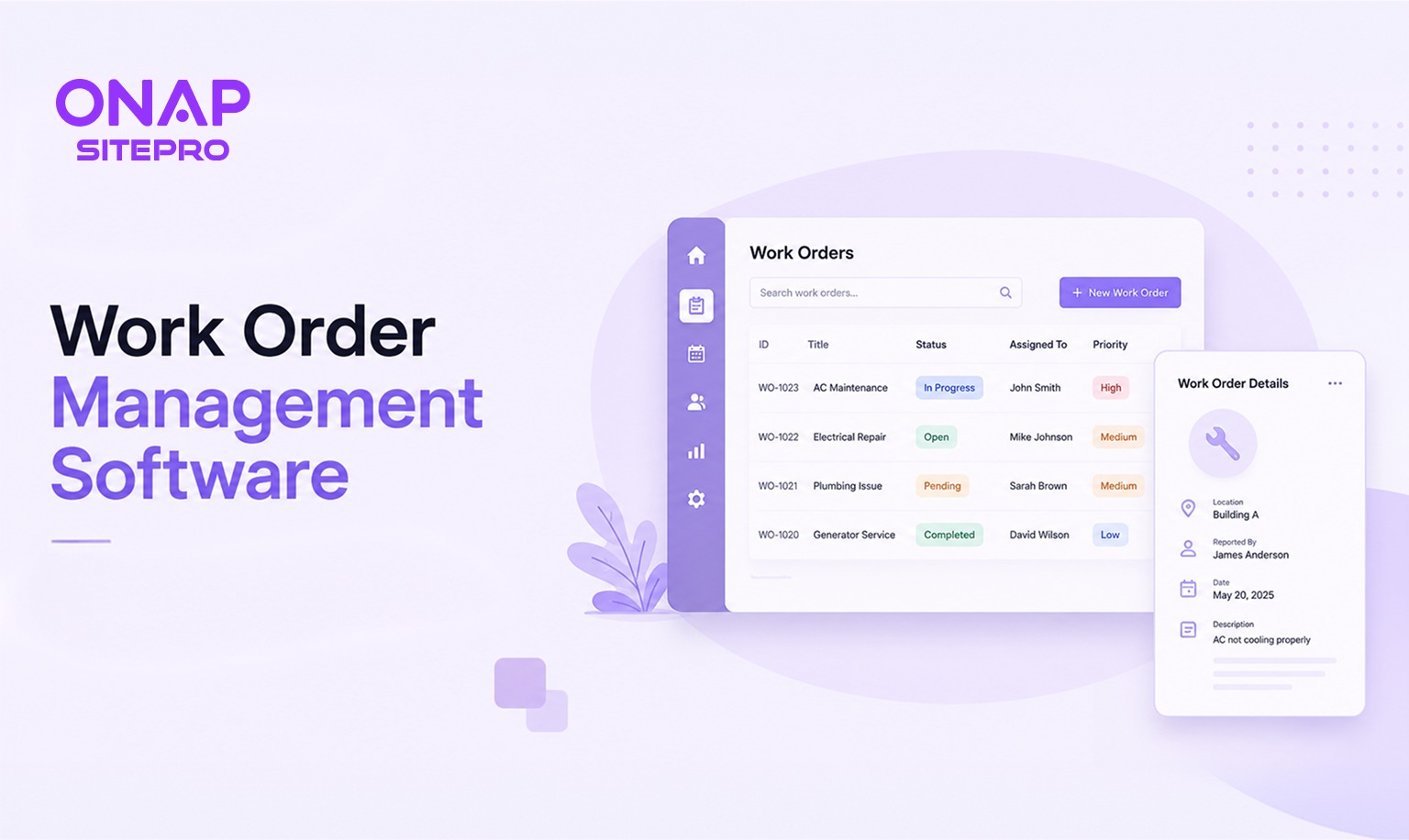
For many field service businesses, every customer visit begins with a work order. It contains the information engineers need to complete the job, from customer details and site addresses to required parts, service history, and completion notes. When work orders are managed using spreadsheets, email chains, paper forms, or messaging apps, mistakes become increasingly common as businesses grow. Jobs can be duplicated, engineers may receive outdated information, and office teams spend valuable time chasing updates instead of coordinating work.
A dedicated work order management system centralises these processes into one platform. It enables office staff to create, assign, monitor, and complete work orders while giving engineers real-time access to everything they need from a mobile device. Whether you're managing emergency call-outs, scheduled maintenance, installations, or inspections, the right software can improve productivity, reduce administrative effort, and provide greater visibility across your entire operation.
This guide explains what work orders are, how work order management software works, the features worth investing in, and how to evaluate solutions for your business.
What Is a Work Order?
A work order is a document or digital record that authorises and tracks a specific job. It tells engineers what needs to be done, where the work will take place, when it should be completed, and any information required to finish the task successfully.
Although formats vary between businesses, most work orders include:
- Customer details
- Site address
- Job description
- Assigned engineer
- Priority level
- Scheduled date and time
- Required materials or equipment
- Health and safety notes
- Previous service history
- Completion notes
- Customer signature
Rather than relying on verbal instructions or scattered emails, a work order creates a single source of truth for everyone involved.
Common Types of Work Orders
Different industries generate different kinds of work orders.
Some of the most common include:
| Work Order Type | Typical Use |
|---|---|
| Corrective Maintenance | Repairing faults after they occur |
| Preventive Maintenance | Scheduled servicing to prevent failures |
| Emergency Call-Out | Urgent repairs requiring immediate attention |
| Installation | Fitting new equipment or systems |
| Inspection | Safety, compliance, or routine inspections |
| Warranty Work | Repairs covered under manufacturer or service agreements |
Each follows a similar lifecycle, even though the work itself may differ.
What Is a Work Order Management System?
A work order management system is software that helps businesses create, organise, assign, track, and complete work orders throughout their entire lifecycle. Instead of maintaining separate spreadsheets, calendars, emails, and paper documents, every job is managed within one connected platform.
A typical workflow looks like this:
- A customer requests a service.
- Office staff create a work order.
- The system assigns or schedules an engineer.
- The engineer receives the job on a mobile device.
- Work is completed on site.
- Notes, photos, and signatures are uploaded.
- The work order is marked complete.
- An invoice or follow-up task is generated if required.
Because every stage is recorded digitally, managers gain real-time visibility into workloads, job progress, engineer productivity, and customer history. Modern systems also integrate work order management with scheduling, dispatching, customer management, reporting, invoicing, and analytics, reducing the need to switch between multiple applications. Businesses looking for an integrated platform can explore the capabilities of ONAP SitePro Features
The Problem With Managing Work Orders on Email and Spreadsheets
Many service businesses begin with simple tools because they are familiar and inexpensive. A spreadsheet can work when there are only a handful of jobs each week. As the business grows, those same processes often become the source of operational inefficiency.
Information Becomes Scattered
A single job may involve:
- An email request
- A spreadsheet entry
- Text messages
- Phone calls
- Printed paperwork
- Handwritten notes
Finding the latest information becomes increasingly difficult, especially when multiple employees update different records.
Scheduling Errors Increase
Without a central scheduling system, businesses may encounter:
- Double bookings
- Missed appointments
- Engineers travelling unnecessarily
- Delayed customer visits
- Conflicting schedules
These issues affect both productivity and customer satisfaction.
Engineers Lack Real-Time Information
If work orders are printed before an engineer leaves the office, any updates made during the day may never reach them.
Examples include:
- Customer cancellations
- Additional work requests
- Address corrections
- Priority changes
- New safety instructions
Mobile access solves this problem by ensuring engineers always see the latest version of each work order.
Reporting Takes Too Long
Managers often spend hours combining spreadsheets to answer straightforward operational questions such as:
- How many jobs were completed this week?
- Which engineers handled the most work?
- What percentage of jobs were completed on time?
- Which customers generate the most repeat work?
A work order management system generates these reports automatically using live operational data.
Growth Becomes Harder to Manage
As businesses expand, manual administration often grows faster than revenue.
More engineers mean:
- More paperwork
- More scheduling decisions
- More customer enquiries
- More invoices
- More communication
Without software to support these processes, administrative teams spend increasing amounts of time coordinating work instead of improving operations. Platforms that combine work order management with scheduling, reporting, customer management, and engineer tracking can help growing businesses replace disconnected tools with a unified workflow. Businesses evaluating these capabilities can explore the ONAP SitePro solution.
Key Features of a Work Order Management System
Not every work order management platform offers the same capabilities. Some focus solely on recording jobs, while others provide a complete operational platform covering scheduling, dispatch, reporting, customer management, invoicing, and mobile workforce management. When comparing solutions, focus on the features that remove manual work and improve visibility across your service operation.
Job Creation and Assignment
Creating a work order should take minutes, not multiple emails and spreadsheets.
A good work order management system allows office staff to create detailed jobs containing:
- Customer information
- Site addresses
- Job descriptions
- Priority levels
- Required skills
- Estimated duration
- Assigned engineer
- Supporting documents
- Photos and attachments
Many platforms also allow templates for recurring work, reducing data entry for routine maintenance visits and scheduled inspections.
Assignment tools should make it easy to allocate work based on:
- Engineer availability
- Location
- Qualifications
- Existing workload
- Emergency priority
This improves resource utilisation while helping businesses respond faster to customer requests.
Status Tracking and Updates
One of the biggest advantages of digital work orders is real-time visibility. Managers no longer need to phone engineers to ask whether a job has started or been completed.
Common work order statuses include:
- New
- Scheduled
- Assigned
- Travelling
- On Site
- Awaiting Parts
- Completed
- Invoiced
- Closed
Because updates are synchronised across the platform, office staff always know the current status of every job. Live status tracking also improves customer communication. If a customer calls asking for an update, staff can provide accurate information without contacting the engineer first. Businesses managing multiple engineers can benefit from operational dashboards that display active work orders, completed jobs, engineer availability, and scheduling performance in one place. The SitePro Dashboard provides an example of how these operational insights can be presented.
Service History and Notes
Every completed work order contributes to a customer's service history. these records together helps engineers arrive on site with the context they need.
Typical records include:
- Previous visits
- Installed equipment
- Fault history
- Warranty information
- Photos
- Engineer notes
- Parts used
- Customer signatures
Having access to historical information reduces repeat diagnostics and allows engineers to make better-informed decisions. Service history also improves continuity when different engineers visit the same customer over time.
Mobile Access for Engineers
Field engineers rarely spend their day in an office. A mobile application gives them access to the information they need wherever they are working.
Essential mobile capabilities include:
- Viewing assigned work orders
- Accessing customer information
- Updating job status
- Uploading photographs
- Recording notes
- Capturing digital signatures
- Creating follow-up work
- Completing inspection forms
Offline functionality is equally important, especially for engineers working in rural locations or inside buildings with poor signal coverage. Once an internet connection becomes available again, completed work should synchronise automatically with the central system. A mobile-first workflow also reduces paperwork, eliminates duplicate data entry, and speeds up invoicing because completed job information reaches the office immediately.
Work Order Management vs Job Management Software: Is There a Difference?
The terms "work order management software" and "job management software" are often used interchangeably, but they don't always describe exactly the same type of platform. Work order management focuses on controlling the lifecycle of individual service tasks. Job management software typically covers a broader operational process that includes customer management, quotations, scheduling, invoicing, reporting, inventory, and financial tracking alongside work orders.
The distinction can be summarised as follows:
| Work Order Management | Job Management Software |
|---|---|
| Create work orders | Manage the complete customer journey |
| Assign engineers | Generate quotations |
| Track job status | Schedule engineers |
| Record service history | Create invoices |
| Capture completion notes | Manage contracts and customers |
| Monitor work progress | Produce business reports |
Many modern field service platforms combine both capabilities within a single solution. For growing businesses, this often makes more sense than purchasing separate systems for scheduling, work orders, customer records, and invoicing. If you're evaluating an all-in-one approach, the SitePro Solutions page outlines how work order management fits into broader field service operations
What to Look for in a UK Work Order Management System
Choosing a work order management system is about more than comparing feature lists. The right platform should fit your current workflow while supporting the way your business will operate in the future. When evaluating software, consider these key areas.
Ease of Use
A system that requires extensive training or complicated workflows is less likely to be adopted consistently.
Look for software with:
- An intuitive interface
- Quick work order creation
- Clear scheduling views
- Simple mobile navigation
- Minimal data entry
The easier the system is to use, the faster your team will see productivity gains.
Integration Capabilities
Work order management rarely operates in isolation.
Your software should integrate with the tools you already use, such as:
- Accounting software
- CRM platforms
- Inventory systems
- Payment solutions
- Customer communication tools
Reducing duplicate data entry saves time and improves data accuracy across the business.
Scalability
The software should support growth without requiring another migration in a few years.
Consider whether it can accommodate:
- Additional engineers
- Multiple office locations
- New service areas
- Larger customer databases
- Increased work order volumes
- Additional user permissions
Choosing a scalable platform protects your investment as the business expands.
Mobile Performance
Engineers rely on mobile access throughout the working day.
Before making a decision, test how the mobile application handles:
- Large work orders
- Photo uploads
- Digital signatures
- Offline working
- Navigation between jobs
- Form completion
A poor mobile experience often leads to incomplete records and reduced adoption.
Reporting and Analytics
Good reporting helps managers make informed decisions without manually compiling spreadsheets.
Look for dashboards that provide visibility into:
- Open and completed work orders
- Engineer utilisation
- Response times
- First-time fix rates
- Customer activity
- Revenue by job type
Businesses comparing field service platforms can review the available SitePro Features to see how work orders integrate with scheduling, reporting, customer management, and operational dashboards.
Vendor Support
Implementation is only the beginning.
Ask potential providers about:
- Onboarding assistance
- Staff training
- Technical support
- Software updates
- Product roadmap
- Knowledge base and documentation
Reliable support becomes increasingly valuable as your business grows.
How Long Does It Take to Implement?
Most cloud-based work order management systems can be implemented much faster than traditional on-premise software.
The timeline depends on factors such as:
- Number of users
- Existing data quality
- Required integrations
- Business complexity
- Staff training requirements
A typical implementation follows these stages:
| Stage | Activity |
|---|---|
| Planning | Review workflows and business requirements |
| Data Preparation | Clean and organise customer and job records |
| System Configuration | Set up users, permissions, workflows, and forms |
| Data Migration | Import customers, work orders, and assets |
| Integration | Connect accounting, CRM, or other systems |
| Staff Training | Train office teams and field engineers |
| Testing | Verify workflows using real business scenarios |
| Go Live | Begin managing live work orders |
Many small and medium-sized businesses can complete implementation within days or a few weeks, depending on the amount of historical data and customisation involved. Running a pilot with one team before rolling out company-wide is often a sensible approach. It allows processes to be refined while giving employees confidence in the new system. If you're planning a migration from spreadsheets or legacy software, the SitePro Contact page is a useful starting point for discussing implementation requirements and onboarding support
Frequently Asked Questions
What is work order management software?
Work order management software is a digital system that helps businesses create, assign, track, and complete work orders. It centralises job information, improves communication between office staff and field engineers, and provides real-time visibility into ongoing work.
Is work order management software suitable for small businesses?
Yes. Even businesses with a small number of engineers benefit from organised scheduling, digital job records, faster invoicing, and reduced paperwork. Choosing software that can scale also avoids changing systems as the business grows.
Can work order software work without an internet connection?
Many modern platforms offer offline functionality. Engineers can continue viewing work orders, updating job details, taking photos, and collecting signatures before synchronising their data once connectivity is restored.
Does work order management software integrate with accounting systems?
Many solutions integrate with accounting software, CRM platforms, and other operational tools. Integration options vary by provider, so it's worth confirming compatibility during the evaluation process.
What's the difference between a work order and a service ticket?
A service ticket usually records a customer request or reported issue. A work order contains the detailed instructions required to complete the job, including scheduling, assigned engineer, materials, and completion records.
How do I know when it's time to move away from spreadsheets?
If your team regularly experiences scheduling conflicts, duplicated work, missing job information, delayed invoicing, or spends hours updating spreadsheets manually, it's usually a strong indication that a dedicated work order management system will improve efficiency.
Conclusion
Work order management software provides far more than digital job records. It creates a connected workflow that helps office staff, field engineers, and managers work from the same information, reducing delays, improving communication, and giving the business greater operational visibility.
As you compare platforms, focus on how well each solution supports your everyday processes rather than the number of features listed on a sales page. Ease of use, mobile functionality, integration options, reporting, and long-term scalability will have a much greater impact on daily operations than an extensive feature list that your team never uses. A carefully chosen work order management system can reduce administrative effort, improve customer service, and provide the operational foundation needed to support sustainable business growth.
Explore More Blogs
Discover more expert insights, software guides, and industry best practices to help your business grow with ONAP.

How to Launch a Branded Restaurant App Without a Developer (UK Guide 2026)
Launching a branded restaurant app no longer requires an in-house development team. This 2026 UK guide explains how restaurant owners can choose a no-code or managed app platform, connect ordering and payments, build loyalty features, publish the app, and avoid the common mistakes that make app projects expensive.
Field Service Engineer Scheduling Software UK: Free vs Paid Options Compared
Field service engineer scheduling software helps UK contractors assign jobs, manage availability, track engineers and keep customers updated. This guide compares free scheduling tools, spreadsheets and paid field service platforms, including their features, limitations, costs and suitability for growing teams.

Café vs Cloud Kitchen vs Dark Kitchen: Which Model Works Best for UK Food Businesses
Cafés, cloud kitchens and dark kitchens each suit different UK food businesses. This guide compares premises, staffing, startup costs, delivery economics, customer acquisition, technology, VAT and growth potential, helping operators choose the model that fits their menu, target market and available capital.