Restaurant Management Software UK: Complete Buyer's Guide 2026
Discover how restaurant management software helps UK restaurants streamline operations, improve customer relationships, manage orders, and make better decisions. This buyer’s guide explains key features, pricing considerations, cloud vs on-premise systems, leading options, and what to evaluate before choosing a platform.
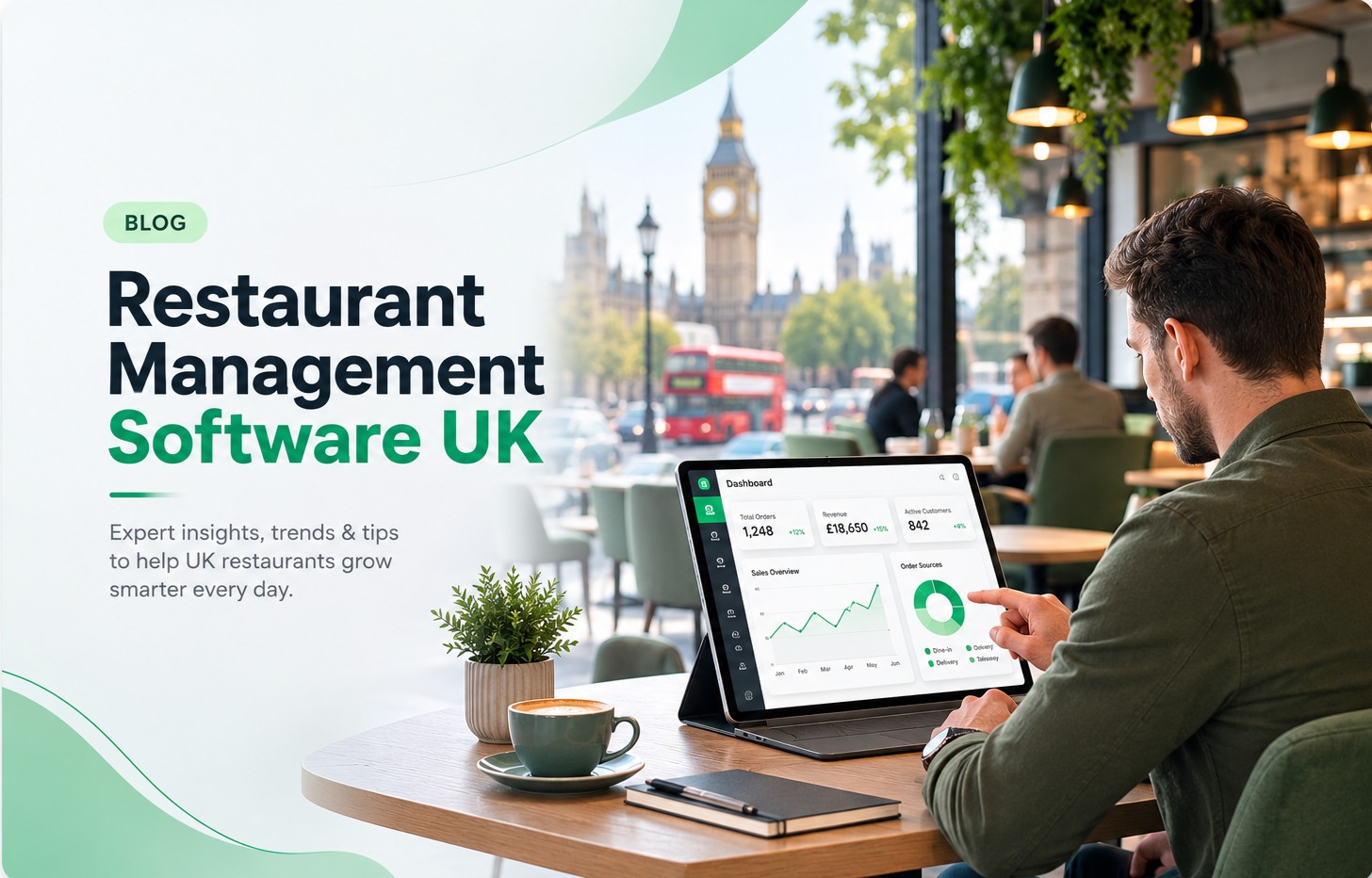
Running a restaurant involves managing far more than food preparation and customer service. Operators need to coordinate online orders, reservations, payments, staff workflows, customer relationships, promotions, reporting, and day-to-day operations across multiple channels.
Restaurant management software brings these processes together in one platform, helping restaurants reduce manual work, improve efficiency, and gain better visibility into performance. For UK restaurants facing rising operational costs, changing customer expectations, and increased competition from delivery platforms, choosing the right technology has become a strategic decision rather than a simple software purchase.
This guide explains what restaurant management software does, the features UK businesses should prioritise, pricing considerations, different deployment models, leading options available, and the questions to ask before committing to a system.
What Is Restaurant Management Software?
Restaurant management software is a digital platform that helps restaurants manage operational tasks from a central system. It can combine ordering, customer data, loyalty, reporting, marketing, payments, and other workflows into a single solution.
For many restaurants, the software acts as the operational hub connecting front-of-house and back-of-house activities. A customer placing an online order, a manager reviewing sales performance, and a team member preparing kitchen tickets can all work from connected information.
Modern restaurant management platforms commonly include:
- Point-of-sale (POS) integration
- Online ordering management
- Customer relationship management (CRM)
- Loyalty programmes
- Marketing automation
- Sales and performance reporting
- Payment processing
- Inventory and operational tools
- Third-party delivery integrations
The exact capabilities vary between providers. A small independent café may need a simpler ordering and customer engagement platform, while a multi-location restaurant group may require advanced reporting, integrations, and centralised management.
UK restaurants should also consider how well a system supports local requirements, including payment providers, VAT reporting, delivery services, and compliance expectations.
A strong platform should not only process transactions. It should help owners understand what is happening across the business and identify opportunities to improve profitability.
For restaurants exploring digital transformation, solutions such as Onap FoodTech are designed around restaurant workflows, combining operational tools with customer-focused features.
What Features Should UK Restaurants Look For?
The right restaurant management software depends on the restaurant’s size, business model, and growth plans. However, several features have become essential for UK operators.
A system should make everyday operations easier while providing the data needed for better decisions.
Online Ordering
Online ordering has become a core sales channel for many restaurants. Customers expect convenient ordering through websites, apps, and digital platforms, without unnecessary friction.
Restaurant management software should help businesses manage these orders efficiently by connecting online sales with existing operations.
Important online ordering capabilities include:
- Branded ordering pages
- Direct customer ordering channels
- Menu management
- Order tracking
- Payment integration
- Delivery and collection options
- Integration with kitchen workflows
Direct ordering can also help restaurants build stronger customer relationships by reducing reliance on third-party marketplaces. While delivery platforms can provide valuable reach, direct ordering gives businesses greater ownership of customer information and the overall experience.
When comparing platforms, restaurants should check whether online ordering is included or offered as an additional service. They should also understand how menus, pricing changes, discounts, and promotions are managed across different channels.
Customer CRM
Customer relationship management (CRM) allows restaurants to collect and use customer information more effectively.
A restaurant CRM system can help track:
- Customer preferences
- Previous orders
- Visit frequency
- Spending patterns
- Contact information
- Engagement with promotions
This information helps restaurants create more relevant experiences. For example, a restaurant can identify regular customers, send targeted offers, or create campaigns based on ordering behaviour.
CRM capabilities are especially valuable for restaurants that rely on repeat business. A customer who visits once represents a transaction, but a returning customer represents ongoing revenue potential.
Before choosing software, businesses should check what customer data is collected, how it is stored, and whether the system integrates with marketing tools.
Loyalty Programme
Loyalty programmes encourage repeat visits by rewarding customers for continued engagement.
Restaurant management software with built-in loyalty features can automate tasks such as:
- Reward points
- Digital membership cards
- Customer incentives
- Promotional campaigns
- Birthday offers
- Repeat purchase rewards
A good loyalty programme should be easy for customers to understand and simple for staff to manage.
Restaurants should avoid overly complicated reward systems that create additional operational work. The best programmes fit naturally into existing ordering and payment processes.
Marketing Automation
Marketing automation helps restaurants communicate with customers without manually managing every campaign.
Common automation features include:
- Email campaigns
- SMS promotions
- Customer segmentation
- Automated offers
- Retention campaigns
- Promotional scheduling
For example, a restaurant could create a campaign targeting customers who have not ordered recently or send a promotion during quieter trading periods.
Marketing automation is most effective when connected with customer data. Generic promotions sent to everyone are usually less effective than targeted messages based on actual customer behaviour.
Restaurants should evaluate how much control they have over campaigns and whether the platform supports their preferred communication channels.
Analytics & Reporting
Analytics and reporting features help restaurant owners understand performance beyond daily sales totals.
Useful reporting capabilities include:
- Revenue tracking
- Sales trends
- Customer behaviour analysis
- Product performance
- Order channel performance
- Staff and operational insights
Accurate reporting allows businesses to make informed decisions about menus, pricing, staffing, and promotions.
For example, analytics may reveal that a particular menu item generates strong sales but has low profitability, or that online orders increase during specific periods and require staffing adjustments.
Reporting requirements vary significantly between businesses. A single-location restaurant may need straightforward dashboards, while a restaurant group may require detailed comparisons across sites.
Cloud-Based vs On-Premise: What UK Restaurants Need to Know
Restaurant management software is typically available as either cloud-based or on-premise software.
The difference affects installation, maintenance, accessibility, and long-term costs.
| Feature | Cloud-Based Software | On-Premise Software |
|---|---|---|
| Installation | Hosted online with minimal setup | Installed on local hardware |
| Updates | Usually managed by provider | Often requires manual updates |
| Access | Can be accessed remotely | Usually limited to installed systems |
| Maintenance | Provider manages infrastructure | Business manages hardware |
| Upfront costs | Usually subscription-based | Often higher initial investment |
| Scalability | Easier to expand | May require additional hardware |
Cloud-based systems have become popular among restaurants because they reduce the need for technical maintenance and allow managers to access information remotely.
A restaurant owner with multiple locations, for example, may want to review performance from different sites without being physically present. Cloud platforms make this type of oversight easier.
On-premise systems can still suit businesses with specific technical requirements or existing infrastructure. However, restaurants should consider long-term maintenance responsibilities and upgrade requirements before choosing this approach.
The decision should be based on operational needs rather than simply choosing the newest technology. A smaller restaurant with limited IT resources may benefit from a cloud platform, while a larger organisation may require more control over its technology environment.
How Much Does Restaurant Management Software Cost in the UK?
The cost of restaurant management software varies depending on features, business size, integrations, and the provider’s pricing model.
Most platforms use subscription pricing, although some may include setup fees, hardware costs, transaction fees, or charges for additional features.
Typical cost factors include:
| Cost Factor | Why It Matters |
|---|---|
| Number of locations | Multi-site businesses often require expanded licences |
| Feature requirements | Advanced CRM, analytics, and automation can increase costs |
| Hardware needs | POS terminals, tablets, and accessories may add expenses |
| Integrations | Delivery, payment, and accounting connections may affect pricing |
| Support level | Premium support packages can change total costs |
Restaurants should look beyond the monthly subscription price. A cheaper system may become expensive if it requires extra tools, manual processes, or costly integrations.
When evaluating pricing, consider:
- How much time the software saves staff
- Whether it reduces operational errors
- Whether it improves customer retention
- Whether reporting helps increase profitability
- How easily it can scale as the business grows
Many providers publish pricing information, while others require a consultation based on business requirements. For example, businesses comparing restaurant technology options can review solutions such as Onap FoodTech pricing to understand how software investment fits different operational needs.
Top Restaurant Management Software Options in the UK (Compared)
The UK restaurant technology market includes a wide range of platforms, from specialist ordering systems to complete restaurant operating platforms. The right choice depends on the type of restaurant, existing systems, and future growth plans.
A useful comparison should focus less on feature lists and more on how each platform fits real operational requirements.
| Software Type | Best Suited For | Key Strengths | Potential Limitations |
|---|---|---|---|
| All-in-one restaurant platforms | Restaurants wanting connected operations | Combines ordering, CRM, reporting, and automation | May include features some smaller businesses do not need |
| POS-focused systems | Restaurants prioritising transactions and payments | Strong sales processing and hardware integration | Customer engagement features may vary |
| Online ordering platforms | Delivery-focused businesses | Digital ordering and customer acquisition tools | May require separate operational systems |
| Enterprise restaurant systems | Large groups and chains | Advanced controls and multi-site reporting | Higher complexity and implementation requirements |
When comparing individual providers, restaurants should evaluate how each option handles daily workflows.
Onap FoodTech
Onap provides restaurant technology solutions designed to help businesses manage digital operations, customer engagement, and restaurant workflows.
The platform focuses on helping restaurants improve areas such as online ordering, customer management, and operational visibility. Businesses evaluating restaurant management software can explore the available FoodTech features to understand the capabilities included.
Oracle Restaurant Technology
Oracle offers restaurant technology solutions aimed at larger hospitality businesses and restaurant groups.
Its systems are commonly considered by organisations that require enterprise-level functionality, extensive integrations, and support for complex operations. Smaller independent restaurants may find enterprise platforms more involved than they require.
Restaurants comparing enterprise options can review considerations around Oracle restaurant alternatives when evaluating different approaches.
Deliverect
Deliverect focuses on connecting restaurants with delivery channels and simplifying order management.
The platform can be useful for businesses managing multiple delivery platforms. However, restaurants should assess whether they need a delivery management tool alone or a broader restaurant management solution.
A comparison of available options can help businesses understand the differences between platforms such as Deliverect alternatives.
Square, Toast, Lightspeed and Other POS Platforms
POS-based restaurant systems can be a strong option for businesses that need reliable transaction processing, payment handling, and sales reporting.
Platforms such as Square, Toast, and Lightspeed each approach restaurant technology differently.
The right choice depends on factors such as:
- Existing hardware requirements
- Payment preferences
- Integration needs
- Customer engagement goals
- Reporting requirements
Restaurants should avoid choosing software based only on brand recognition. A platform that works well for a large chain may not be the best fit for an independent restaurant with different priorities.
What to Ask Before You Sign a Contract
Choosing restaurant management software is a long-term operational decision. A system that looks suitable during a sales demonstration may create challenges if it does not match the restaurant’s actual workflow.
Before signing a contract, ask providers the following questions.
Does the software integrate with existing systems?
Restaurants often use multiple tools, including:
- Payment providers
- Accounting software
- Delivery platforms
- Reservation systems
- Kitchen equipment
- Marketing tools
Poor integration can create duplicate work and inaccurate information. Confirm which integrations are available and whether additional costs apply.
How long does implementation take?
Implementation requirements vary. Some restaurants can begin quickly, while larger operations may require data migration, staff training, and system configuration.
Ask:
- Who manages setup?
- Is training included?
- How are customer records transferred?
- How are menus migrated?
- What support is available after launch?
A clear implementation plan reduces disruption.
What support is included?
Technical problems can affect service quality, especially during busy periods.
Review:
- Support hours
- Response times
- Training resources
- Account management options
- Troubleshooting processes
A lower-cost platform with limited support may create operational difficulties if problems occur during peak trading times.
Can the software scale with the business?
Restaurant needs change over time. A single-site café may eventually add locations, delivery services, or new revenue channels.
Consider whether the platform supports:
- Multiple locations
- Additional users
- Expanded reporting
- New ordering channels
- Larger customer databases
Changing systems frequently can be disruptive, so future requirements should be part of the initial evaluation.
How to Switch From Your Current System
Replacing restaurant management software requires planning. A rushed migration can affect ordering, customer service, and staff confidence.
A structured transition usually involves several stages.
1. Review your current setup
Before switching, document:
- Current software features
- Existing integrations
- Customer data requirements
- Hardware dependencies
- Operational problems
This helps identify what the new system must solve.
2. Prepare your data
Data migration is one of the most important parts of changing platforms.
Restaurants should confirm how the new provider handles:
- Customer records
- Menu information
- Sales history
- Loyalty data
- User accounts
Not every platform can transfer all information, so this should be discussed before contracts are signed.
3. Train your team
Staff adoption has a major impact on whether new software delivers value.
Training should cover:
- Taking orders
- Managing customer requests
- Handling payments
- Using reporting tools
- Troubleshooting common issues
A system with advanced features provides limited value if employees struggle to use it.
4. Run a controlled launch
Many restaurants choose to introduce new software during a quieter period.
A phased approach can reduce risk by allowing teams to identify issues before full implementation.
Frequently Asked Questions
What is restaurant management software?
Restaurant management software is a platform that helps restaurants manage operations such as ordering, customer relationships, reporting, marketing, and workflow management from one system.
It allows restaurants to replace disconnected tools with a more connected approach to running daily operations.
How much does restaurant management software cost in the UK?
The cost depends on the provider, features, number of locations, integrations, and hardware requirements.
Some systems operate through monthly subscriptions, while others may include setup fees or additional charges for advanced functionality. Restaurants should compare total value rather than focusing only on the monthly price.
What features should a restaurant management system include?
Most restaurants should look for features such as online ordering, CRM, loyalty programmes, marketing automation, analytics, reporting, integrations, and reliable support.
The ideal feature set depends on the restaurant’s size, customer strategy, and operational requirements.
Is cloud-based restaurant software better than on-premise software?
Cloud-based software is often preferred because it provides easier updates, remote access, and reduced maintenance requirements.
However, the best choice depends on the restaurant’s infrastructure, technical needs, and long-term plans.
Can restaurant management software improve customer retention?
Yes. Features such as CRM, loyalty programmes, and targeted marketing can help restaurants understand customer behaviour and create more personalised experiences.
The effectiveness depends on how well the restaurant uses customer data and creates relevant campaigns.
How long does it take to switch restaurant management systems?
The timeline varies depending on the complexity of the restaurant’s operations.
A smaller restaurant may transition quickly, while larger businesses with multiple locations, integrations, and customer databases may require a longer implementation process.
Choosing restaurant management software is less about finding the platform with the longest feature list and more about finding technology that fits the way the business operates. Restaurants should evaluate daily workflows, future growth plans, integration requirements, and customer engagement goals before making a decision.
The right system can become a valuable operational foundation, helping teams work more efficiently while giving owners the information needed to make smarter business decisions.
Explore More Blogs
Discover more expert insights, software guides, and industry best practices to help your business grow with ONAP.
How to Launch a Branded Restaurant App Without a Developer (UK Guide 2026)
Launching a branded restaurant app no longer requires an in-house development team. This 2026 UK guide explains how restaurant owners can choose a no-code or managed app platform, connect ordering and payments, build loyalty features, publish the app, and avoid the common mistakes that make app projects expensive.
Field Service Engineer Scheduling Software UK: Free vs Paid Options Compared
Field service engineer scheduling software helps UK contractors assign jobs, manage availability, track engineers and keep customers updated. This guide compares free scheduling tools, spreadsheets and paid field service platforms, including their features, limitations, costs and suitability for growing teams.
Café vs Cloud Kitchen vs Dark Kitchen: Which Model Works Best for UK Food Businesses
Cafés, cloud kitchens and dark kitchens each suit different UK food businesses. This guide compares premises, staffing, startup costs, delivery economics, customer acquisition, technology, VAT and growth potential, helping operators choose the model that fits their menu, target market and available capital.